Creating a tool to streamline PDF applications at scale.
Apothesource is a small software company in the healthcare space. I worked on their product FAM: a Patient Care Coordinator facing application designed to connect patients with charitable funds they need to pay for medications. This process requires coordinating several application processes that take many forms including PDF.
Challenge:
Filling out pdf applications is unwieldy at best so we decided to automate it as much as possible. The challenge came when parsing pdf data and we discovered that fields are often named oddly and are in a semi-random order once parsed.
Objective:
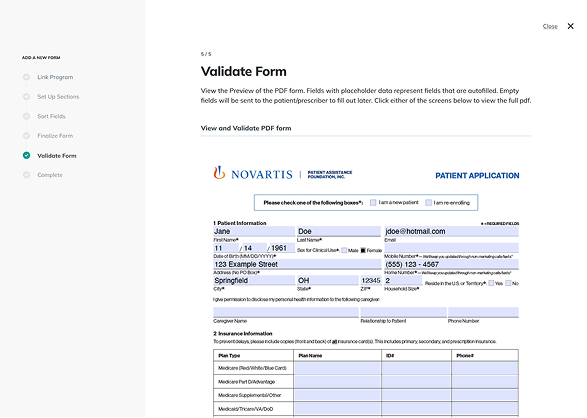
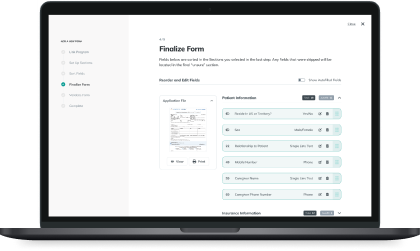
We needed a way to map out a pdf application form so that we could automatically fill in the fields with patient data we already had, as well as create a form in the app for PCC's to fill in with the patient. To do this we needed to be able to rename the fields to be human-readable and put them in a logical order.
Company
Apothesource
Role
Research & UX Design
Timeline
February - March 2025
Tools
Figma, VS Code, PDFtk
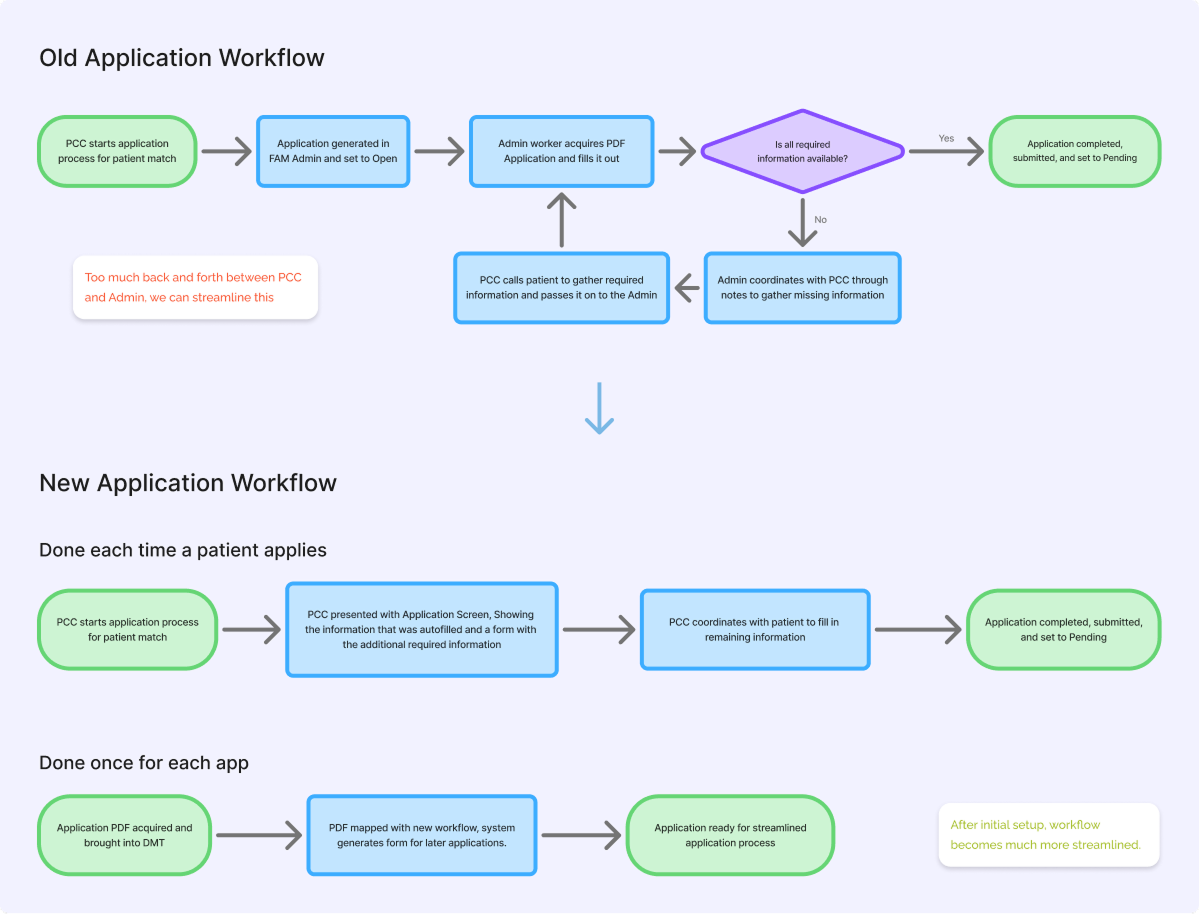
With the new overarching workflow worked out, I focused on identifying the tasks that a user would need to accomplish with the form mapper.
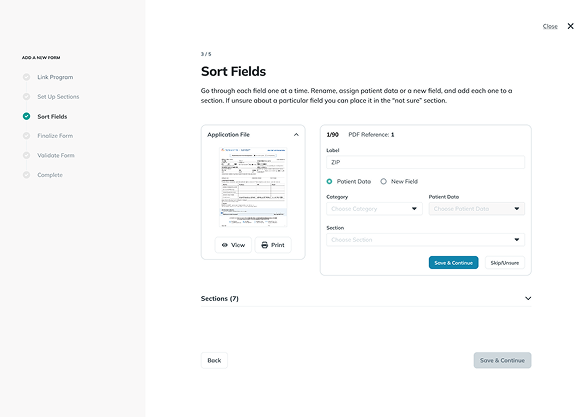
- Match the fields from the pdf to the parsed data and rename the field ids to be human readable
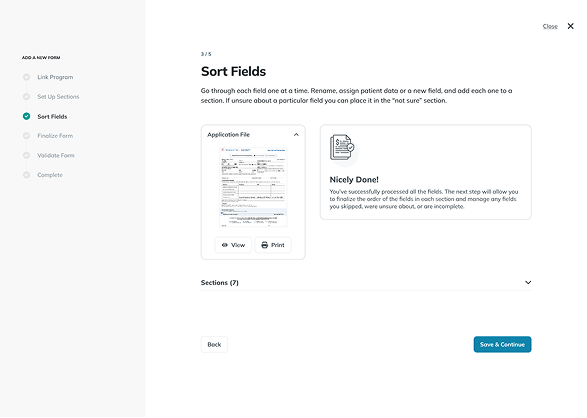
- Either connect the field to patient data or assign it a data and field type for manual completion later
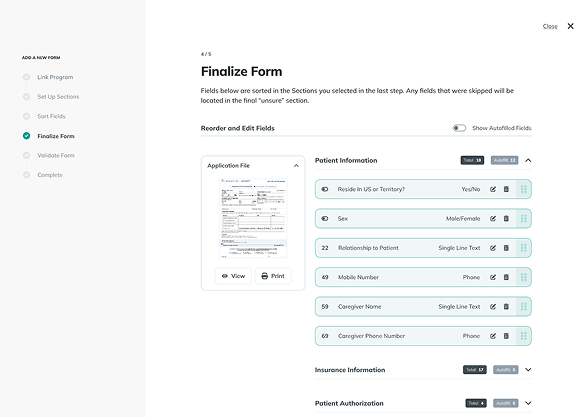
- Organize the fields into sections and reorder them in a way that matches the PDF
To establish user flow and content layout, I sketched out wireframes for screens that users would need in order to complete the three main tasks.
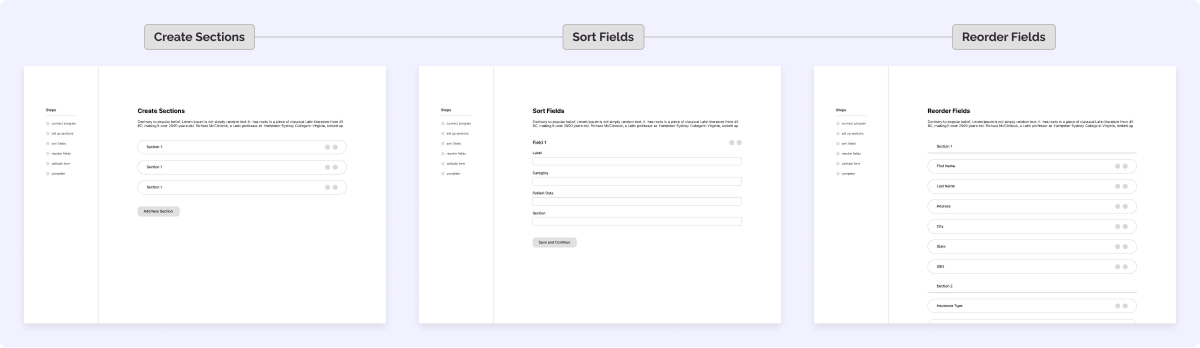
I walked through it with our consultant to double check that I addressed their concerns. They gave me some positive feedback but also had some feature requests:
- “It streamlines the process pretty well. I don't like that I have to guess which field is the right one when I'm sorting them.”
- “I wish there was a way to pull up the PDF so I can reference it while sorting fields.”
Having a quick way to reference the PDF was a game changer. The user could quickly pull it up to confirm that they were working on the correct field.
Also, because the parsed data was ordered in a weird way, and the field IDs were sometimes similar or even duplicates, we needed a way to be sure about which field was which. We decided the preview should have numbers in each field that matched the reference given in the “sort fields” step.
With this feedback I created a prototype of the full workflow.
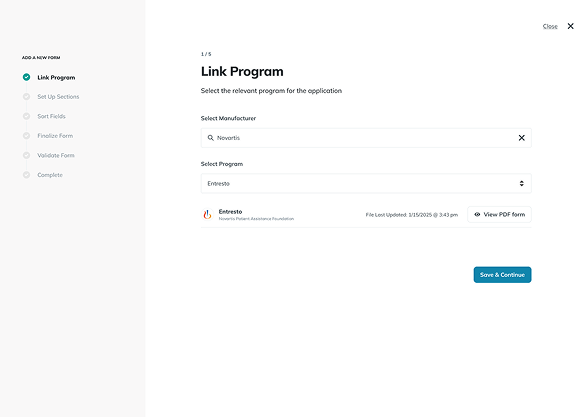
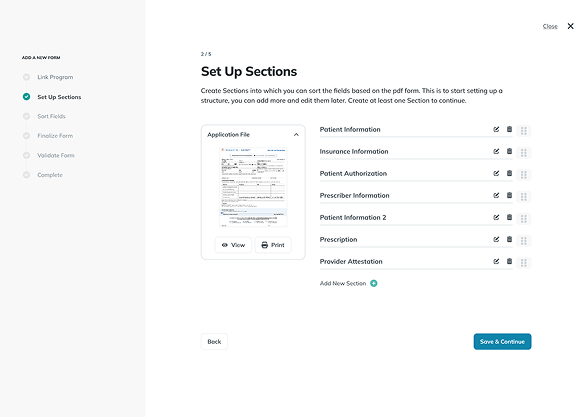
Before final testing could begin, a shift in the company happened. A number of factors came together and we decided to pivot the FAM team to create a new patient facing app. The application process was placed on the shelf and with it this project.
What would have been next
This project was just step one in the new application process. Next steps would have been:
- Establish the form application process on the PCC side
- Update the application status system to reflect the new changes.
What I would have tracked:
Since it never launched (story of my life), I didn't get real metrics to show here but I know what I would have looked at:
- Time to fill out 10 applications with the old workflow vs. 10 with the new workflow plus the initial form mapping step
- PCC satisfaction with the streamlined process
Check out another case study


Have a project in mind?
Let's get to work!
Send me a message about your awesome project